Barracks LED Sign
Project Overview
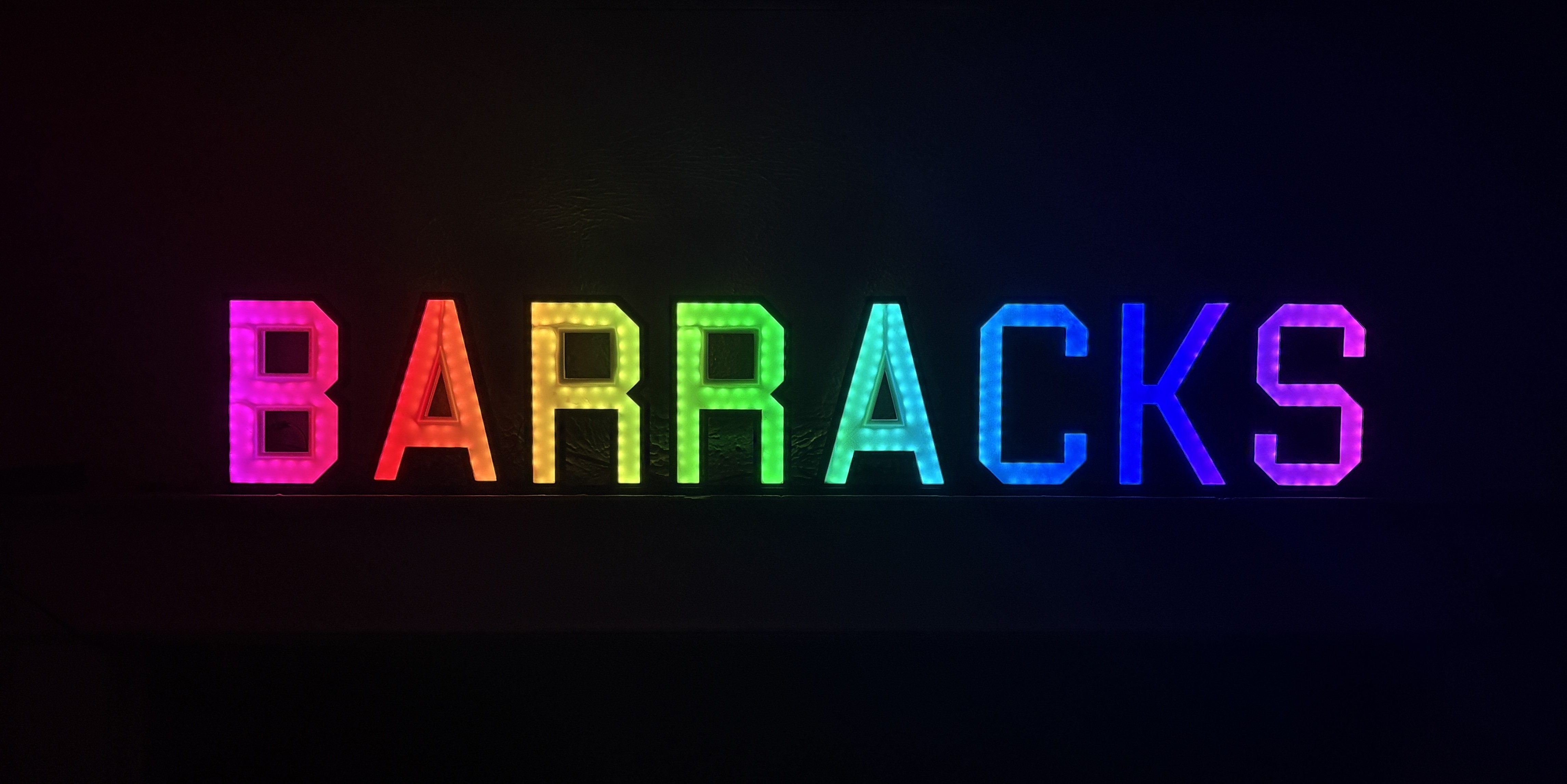
A large multi-letter LED sign spelling "BARRACKS" with 498 individually addressable WS2812B LEDs, 14 built-in animation effects, and WiFi HTTP control. I designed every letter in Fusion 360, 3D printed all components (frames, inserts, backings, stands, and an electronics case), and wrote all firmware from scratch. Two firmware versions exist: the original CircuitPython build for Raspberry Pi Pico W and a MicroPython port with OTA code upload that also runs on ESP32-C3.
Hardware
| Component | Description |
|---|---|
| LEDs | 498 WS2812B NeoPixels across 8 letters on GPIO 2 |
| Microcontroller | Raspberry Pi Pico W (RP2040) or ESP32-C3 SuperMini |
| Audio | MAX4466 microphone on GP26/ADC0 (CircuitPython only) |
| Power | 5V supply |
| Enclosure | 3D printed frames, inserts, backings, stands, and electronics case |
LED Distribution
| B | A | R | R | A | C | K | S |
|---|---|---|---|---|---|---|---|
| 74 | 58 | 67 | 67 | 58 | 53 | 57 | 64 |
Animation Effects
| # | Effect |
|---|---|
| 1 | Rainbow Sweep |
| 2 | Breathing Pulse |
| 3 | Letter Chase |
| 4 | Sparkle |
| 5 | Color Wave |
| 6 | Ping Pong |
| 7 | Fire |
| 8 | Matrix Rain |
| 9 | Solid Cycle |
| 10 | Comet |
| 11 | Raindrop Ripple |
| 12 | Heartbeat |
| 13 | Marquee |
| 14 | Sound Reactive / Matrix Rain 2 |
WiFi Control API
The sign runs an HTTP server directly on the microcontroller, allowing any device on the local network to control it via simple REST endpoints:
| Endpoint | Purpose |
|---|---|
/effect/<1-14> | Change animation |
/power/<on|off> | Power control |
/speed/<up|down|reset> | Speed (12-800%) |
/brightness/<0-100> | Brightness |
/status | Query current state |
/upload (PUT) | OTA code upload (MicroPython only) |
CircuitPython Firmware
The original single-file architecture runs on Pico W with adafruit_httpserver. On boot, it reads WiFi credentials from settings.toml, connects to WiFi, and pre-computes lookup tables for all effects (colorwheel, sine, fire gradient, wave, comet fade, heartbeat rhythm). The main loop polls the HTTP server for API requests, runs the active effect, and writes to the NeoPixels. State persists to NVM with rate-limited writes every 30 seconds. A watchdog timer auto-reboots on hang (16s timeout), and Effect 14 is sound-reactive using the MAX4466 microphone.
MicroPython Firmware
The MicroPython version splits into a bootloader (main.py) and application (app.py) to enable over-the-air code upload. It runs on both Pico W and ESP32-C3 SuperMini. Since MicroPython has no hardware brightness control, all color lookup tables are pre-scaled at brightness-change time to avoid per-pixel per-frame multiplication.
OTA Code Upload
New firmware can be deployed remotely without USB access using a simple curl command. The upload streams to a temp file in 512-byte chunks, backs up the current app, renames the temp file, and soft-resets the device.
Crash Recovery
Three safety layers prevent bricking: exec try/except catches syntax errors, a boot flag detects crashes during init and auto-restores the previous firmware, and a minimal recovery mode HTTP server allows pushing a fix if no working app exists.
3D Printed Components
Every physical component was designed in Fusion 360 and 3D printed: letter frames, LED strip inserts, backings, inter-letter stands, and an electronics case for the microcontroller. The inserts hold the WS2812B LED strips in position inside each letter frame, with the translucent frame material acting as a diffuser.